

I found Weather Forecast & Widget most useful when I wanted a quick answer rather than a long weather briefing. It is a free weather app for Android that puts local conditions, daily forecasts, hourly details, and weather widgets in one place. After spending time with it, my impression is that its biggest strength is straightforward access to everyday information: will I need a coat, should I move a walk indoors, or is it sensible to leave home without an umbrella?
The app is published by Weather Forecast & Useful Weather Widgets & Radar and has built a strong audience, with an average rating of 4.7 from around 49 thousand ratings and more than a million installs. Those figures do not guarantee that it will suit everyone, but they do suggest that its simple approach works for many people. I see it as a practical choice for routine weather checks, especially for users who prefer visible information over complicated meteorological tools.
How the app feels to read and navigate
The first thing I noticed is that the app is organized around the information people usually want first: the current local weather and what is expected next. That makes it easier to use casually than services that open with radar layers, maps, warnings, and several competing panels. I could approach it with a specific question and find the relevant forecast without learning a complicated system.
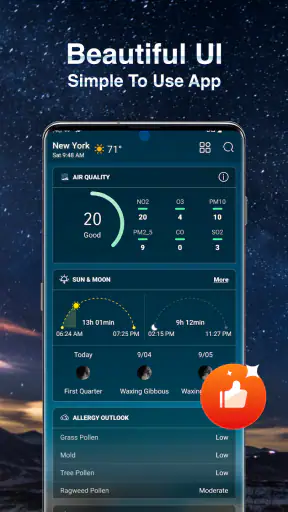
That simplicity matters for readability. Weather apps can become visually busy because they combine temperatures, symbols, wind, humidity, precipitation, sunrise details, and changing time periods. Weather Forecast & Widget keeps the experience focused on forecast information, so I did not feel forced to interpret a professional weather dashboard every time I opened it.
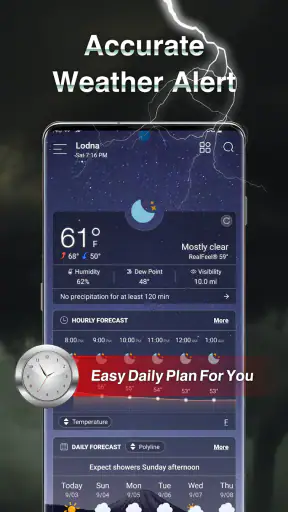
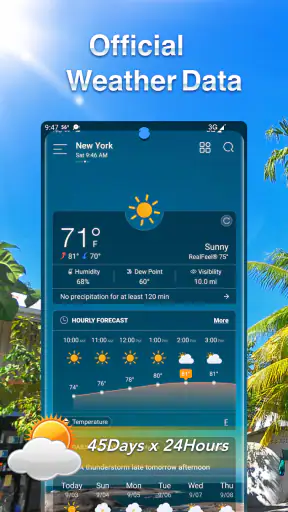
I particularly like the difference between checking the current condition and looking ahead by hour. A quick glance is enough when I am leaving the house, while the hourly view is more useful when I am planning a commute, school run, outdoor appointment, or exercise session. The daily view serves a different purpose again: it helps compare the general shape of several upcoming days instead of making me scroll through every individual time slot.
The most useful habit is to use the hourly forecast for decisions and the daily forecast for planning. That sounds obvious, but it prevents a common mistake: treating one daily symbol as if it describes every part of the day. A day marked as rainy may only have a short wet period, while a day that looks calm at a glance may still have an inconvenient shower during the hour you need to travel.
For readers who have difficulty distinguishing small icons or subtle color changes, the written forecast details are more important than the symbols alone. I would not rely on an icon without checking the accompanying temperature and time information. Weather symbols are convenient, but they are not always equally clear to every person, particularly when several conditions look visually similar.
The interface is also a reasonable fit for people who do not want to spend time customizing a weather service. There is less of a learning curve than with apps built mainly around maps or technical charts. On the other hand, users who enjoy comparing multiple radar layers may find this streamlined presentation less satisfying. The app is designed for accessible everyday forecasting, not for replacing a specialist meteorological workstation.
Widgets make routine checking less demanding
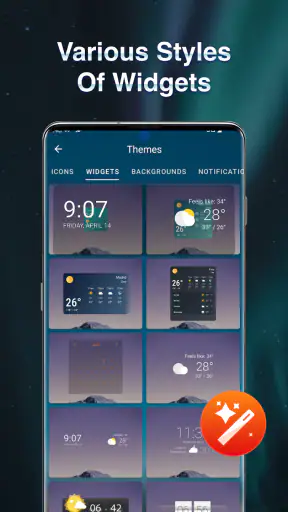
The widget support is one of the more practical parts of the experience. A widget can reduce the number of steps needed to answer a simple question, since I can check the weather from the home screen instead of opening the full application. This is helpful when I am in a hurry, carrying something, or trying to avoid a distracting sequence of notifications and menus.
For someone with limited dexterity or difficulty performing repeated taps, that shorter route can make a real difference. It is also useful for people who find app navigation tiring, or who prefer to keep their attention on another task. I would place the widget where it is easy to see without crowding the rest of the home screen, because a cluttered layout can reduce the benefit of having quick information available.
There is a trade-off, though. A widget is excellent for a glance, but it cannot replace the fuller hourly and daily views when the decision is more complicated. If I am planning a long trip or an outdoor activity, I still want to open the main app and examine the forecast in context. The widget works best as an entry point, not as the entire weather experience.
Useful for different sensory preferences, with sensible caution
Weather Forecast & Widget can suit users who prefer visual information because conditions are presented in a compact, recognizable format. At the same time, visual simplicity should not be confused with universal accessibility. People with low vision may still need to adjust their device display settings, increase system text size, or use their phone’s built-in screen tools to make the content more comfortable.
I also recommend checking the written values rather than depending only on color. Color-based distinctions can be difficult for people with color-vision differences, and bright weather graphics may be less comfortable for users who are sensitive to visual contrast. The safest approach is to treat the icons as a quick cue and confirm important information through the text and forecast timing.
For people who are deaf or hard of hearing, a visual forecast app is naturally more useful than a service that depends heavily on spoken announcements. However, the app should still be treated as one part of a wider safety routine when severe weather is possible. A normal forecast screen is not the same thing as a dedicated emergency alert channel, so I would not use it as my only source for urgent warnings.
Users who rely on screen readers should test the app on their own device rather than assuming every element will be announced in the most helpful order. Weather information contains many compact values and symbols, and the experience can vary depending on how the phone interprets those controls. The app’s clean structure may help, but personal testing is still the sensible way to judge whether it works with a particular assistive setup.
Where it fits into real routines
My favorite everyday use case is a morning commute. I can check the home-screen widget before getting dressed, open the hourly forecast if rain appears likely, and then look at the daily view to understand whether the rest of the day will improve. That sequence is faster than opening a map-based service and filtering out information I do not need.
It also works well for caregivers and families who need a quick shared decision. Before taking a child to a playground, I would check the next few hours rather than relying on the current sky. For an older relative, the widget may be easier than navigating through several screens, while the daily forecast can help with planning errands around colder or wetter periods.
People with fluctuating energy or concentration may appreciate the low-effort workflow. A glance at the widget can answer the immediate question, and the full forecast is there when more detail is needed. This two-level approach is more comfortable than an app that presents every available measurement at once. It lets me decide how much information I have the energy to process.
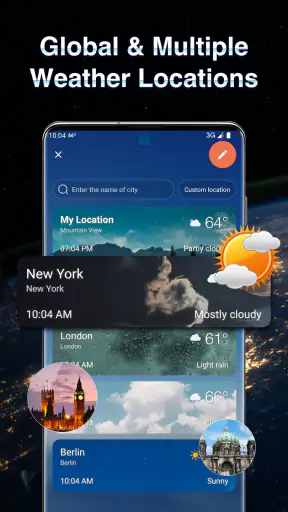
Travelers can also use it as a basic planning companion, particularly when they want a local forecast rather than a collection of technical weather maps. I would still check the relevant location carefully before relying on it, especially when moving between towns or regions. A forecast that is accurate for one place may be unhelpful for another only a short distance away, so location selection deserves attention during travel.
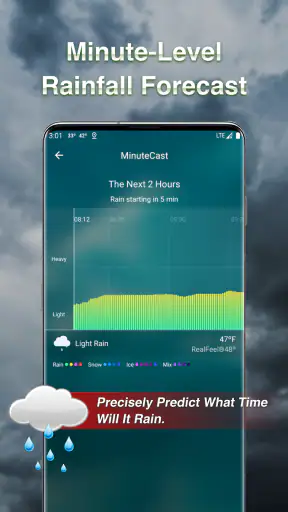
For outdoor workers, gardeners, cyclists, and runners, the hourly view is more valuable than a single current reading. A cool morning can become warm later, and a dry-looking day can include a badly timed shower. The app helps reveal that pattern, although anyone making safety-critical decisions should combine it with official local warnings and common sense.
What the free version means in practice
The app is free to download and suitable for Everyone, which makes it easy to try without committing money first. There are in-app purchases ranging from $1.99 to $4.99 per item, so I would pay attention to any optional upgrade screens and decide whether the extra value matches my habits. For a person who only needs local weather and occasional forecasts, the free experience may be enough.
This pricing structure is neither unusual nor automatically problematic, but it does affect who will enjoy the app most. Users who dislike optional purchases or promotional prompts may prefer a completely paid-up-front weather tool. Conversely, someone who wants to test the interface before spending anything gets a clear advantage from the free entry point.
The age rating of Everyone also makes it appropriate for a broad household audience. That does not mean every layout choice will be equally comfortable for children, older adults, or people with disabilities. A family member may still need help setting up the widget, choosing a readable phone display, or understanding the difference between an hourly prediction and a general daily outlook.
Where other weather tools may be better
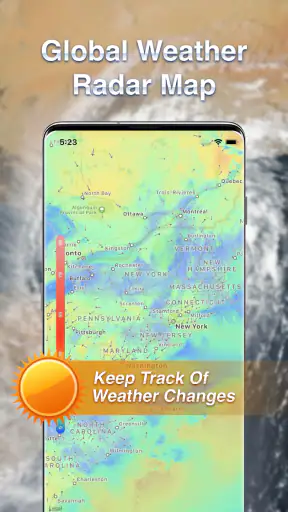
I would choose a radar-first service when my main question is not simply “what will the weather be?” but “where is the rain moving right now?” Map-heavy apps are usually better for following storm cells, comparing nearby areas, or studying weather systems visually. Weather Forecast & Widget is more convenient for routine checks, but it is not the tool I would reach for when detailed radar interpretation is the central task.
I would also consider an official national weather service when warnings, watches, or emergency information are the priority. A general forecast app is useful for planning, but severe weather requires the most authoritative and timely source available for the location. Keeping both types of service available is more sensible than expecting one app to handle every weather situation.
For users who want extensive customization, historical comparisons, specialist measurements, or several data layers, this app may feel restrained. Its advantage is that it avoids overwhelming me; its weakness is that it may not satisfy someone who wants to explore weather as a technical hobby. That is a genuine trade-off rather than a flaw for every audience.
Small barriers that can affect the experience
The first barrier is information density. Even a clean weather screen can contain many numbers, symbols, and time labels. Someone with cognitive fatigue may find the full forecast tiring, especially when trying to compare several days. I found it better to begin with one question—whether to carry an umbrella, for example—and only open more detail if the answer was unclear.
The second barrier is the difference between quick access and complete context. Widgets reduce effort, but they can encourage snap judgments. If the forecast changes during the day, a glance at a compact panel may not explain what is happening later. My workaround is simple: use the widget for routine checks, then open the app before making plans that cannot easily be changed.
The third barrier is dependence on visual interpretation. People who cannot comfortably read small text or identify weather graphics may need phone-level accessibility settings or another source that presents information in a more suitable format. I would not describe the app as a guaranteed solution for every accessibility need; I would describe it as a relatively approachable starting point that still requires personal testing.
There is also a practical issue with trust. A forecast is a prediction, not a promise, and the app should not encourage overconfidence. I find it useful for deciding what to wear and when to schedule ordinary activities, but I would add official alerts for storms, flooding, extreme temperatures, or any situation where a wrong decision could be dangerous.
The current version is 1.2.61 and supports Android from 8.0 onward, so it remains accessible to people using a range of older compatible devices. That is helpful for households that do not replace phones frequently. Still, device performance, display size, system text settings, and the way a particular Android launcher handles widgets can all influence the final experience.
My inclusive verdict
After using Weather Forecast & Widget, I see it as a friendly, low-friction weather companion rather than an advanced forecasting laboratory. Its strongest inclusive quality is the choice between a quick home-screen glance and a fuller forecast view. That flexibility supports different levels of attention, energy, and urgency, which is more valuable than simply adding more weather data.
I would recommend it to someone who wants a clear local forecast, hourly planning, daily context, and a widget without navigating a technical interface. It is especially suitable for commuters, families, casual outdoor planners, and users who benefit from reducing repeated taps. I would also suggest trying the widget early, because it may be the feature that makes the app genuinely convenient rather than merely another forecast screen.
I would hesitate to recommend it as the only weather resource for people who need specialist radar, emergency alerts, or highly detailed environmental data. I would also encourage users with visual, motor, or screen-reader needs to test the actual interface on their phone and adjust system accessibility settings before depending on it. Those are not reasons to dismiss the app; they are sensible boundaries for choosing the right tool.
Overall, the developer has built a practical free weather app that keeps ordinary decisions uncomplicated. Its 4.7 average and broad install base reflect that appeal, while the optional purchases mean users should decide for themselves whether any extras are worthwhile. For everyday weather planning with a strong emphasis on quick readability and reduced navigation effort, this is an app I would comfortably suggest to a friend.
Weather Forecast & Widget is at its best when it answers a small question quickly and then gives me enough detail to act with confidence. It does not need to replace every other weather service. Used within that role—and supported by official sources when conditions become serious—it offers a sensible balance between convenience, clarity, and practical access.


